
Businesses in ChatGPT brings business presence management into ChatGPT. OpenAI announced the beta on November 10, 2026: eligible companies can claim their business, update information and view aggregated engagement data. The starting point is Business Hub. Read OpenAI’s official announcement.
Updated November 11, 2026. YourDigitalWeb’s practical recommendations are distinguished from features confirmed by OpenAI.
Claim your business: OpenAI’s official page →
Sign in directly to Business Hub.
Business Hub, business profiles and Business Agents explained
| Component | Purpose |
|---|---|
| Business Hub | Manage your business and the information you provide to ChatGPT. |
| Business profile | Present your business and its details. |
| Business Agent | Answer questions about your offering using your information and guidelines, where eligible. |
This launch concerns businesses’ presence in ChatGPT; ChatGPT Business is the name of the team subscription plan. For an overview of the new service, see OpenAI’s product page.
Availability: what businesses in Italy should check
Claiming is available to eligible businesses in countries where ChatGPT is offered, subject to applicable requirements and verification. Business Agents are starting with eligible US ecommerce and online service businesses. Having a profile therefore does not automatically qualify a company for an agent.
OpenAI’s setup guide also specifies that local stores and restaurants can currently claim only an existing US listing. For an Italian company, the practical first check is the route offered in its own Business Hub. Official eligibility and setup guidance.
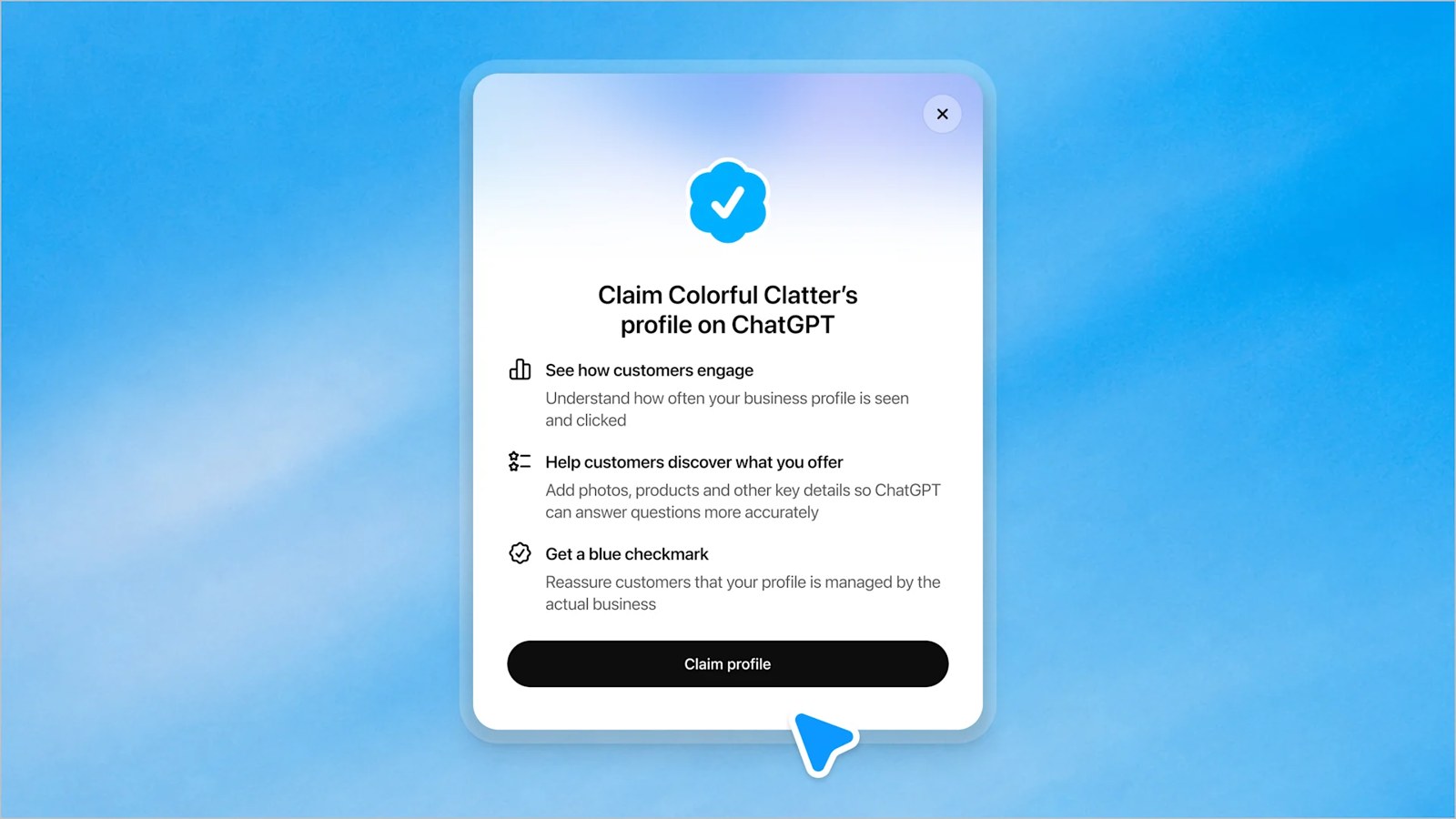
Before you start: prepare consistent business information
Our practical recommendation: prepare one internal reference document approved by the owner, marketing and customer support. Collect the trading name, correct website, description of the offering, categories, contact information, logo and relevant terms pages. For an online store, add links to delivery and return policies.
Assign someone to keep this material current. If your catalogue changes every week, a description written once and forgotten will soon become less useful. Check that the same information is readable on your website: the aim is to reduce discrepancies between what you promise and what customers find when they arrive.
How to claim your business in ChatGPT: 8 steps
1. Open Business Hub
Sign in to ChatGPT and open Business Hub from the sidebar. As an organisational choice, first identify the account of the person who will maintain your business presence over time.
2. Find and select the correct business
Search by name and choose the matching listing. Compare the website and business identity before proceeding, particularly when other companies have similar names.
3. Use the verification method offered
Options can include business phone, email, domain or Shopify. Enter the code for phone/email; add the requested TXT record and verify for a domain; follow the store connection for Shopify. Await the claim decision. OpenAI’s instructions.
4. Complete Persona verification too
OpenAI’s release notes identify a second requirement: after claim approval, Persona identity verification must also be approved before you can publish information updates, connect a feed or view insights. It is also required to create an eligible agent. Submitting information is one stage in the process, so check that approval has actually been granted before planning the next activities.
5. Provide precise, verifiable information
The business profile policy requires an authentic representation of the company and current information: name, category, contacts, opening hours or service area, products and services. Only owners or authorised representatives may manage a profile.
Editorial example: “We build ecommerce stores for furniture manufacturers, with support in Italian and English” explains an offering more clearly than “We are the best in the market”. Choose facts your team can document. Use images you have rights to and link to relevant pages, avoiding unsupported promises of results.
6. If you sell products, check the catalogue connection
OpenAI supports feeds containing product information, prices and availability. The Shopify route lets merchants connect their store, review information shared through the catalogue and, where eligible, preview and publish an agent. Shopify is one available route, rather than a requirement for every business. Official details.
As a practical check, compare a small sample of products with their website pages: variants, price, availability and terms should describe the same offer. Document who will correct errors before expanding the catalogue.
7. If eligible, prepare and test your Business Agent
The agent must be presented as AI representing the business. The Business Agents Policy prohibits invented prices, offerings, credentials or guarantees and requires clarity about relevant costs and conditions.
Our suggested test is straightforward: ask about product comparisons, returns, additional costs and missing information. Record ambiguous answers, correct the source material and test again. For something outside the catalogue, a useful response should acknowledge the limitation and point to a relevant resource. Schedule a review after every significant change to your offering.
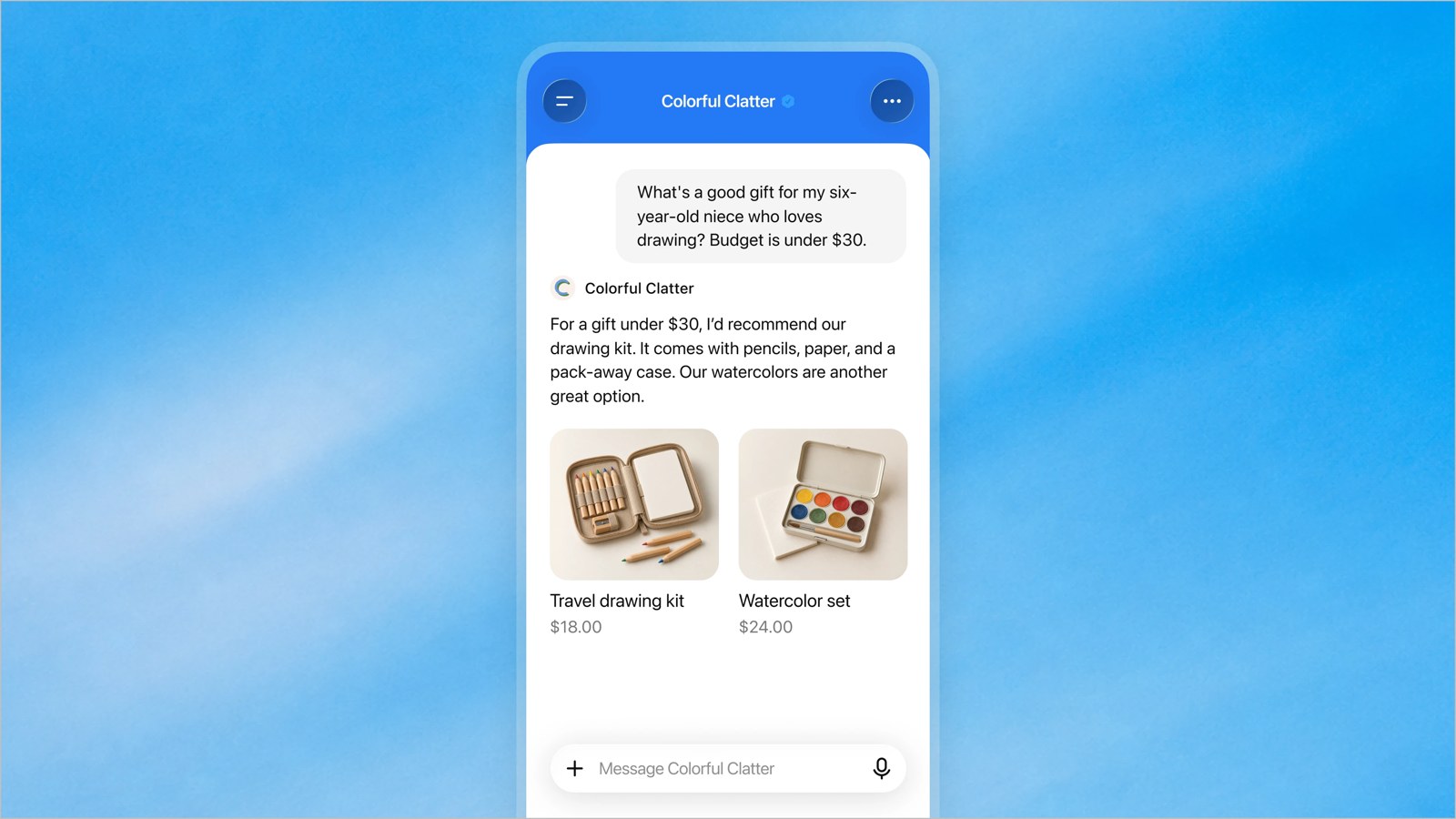
For eligible businesses, review the preview after testing and select Publish to make the agent available, as described in OpenAI’s release notes.
8. Read insights alongside your website results
Insights include mentions, website clicks and discovery topics. They are aggregated and subject to reporting thresholds: businesses do not receive users’ personal conversations. A blank metric does not necessarily mean zero activity. See the announcement and OpenAI’s guide.
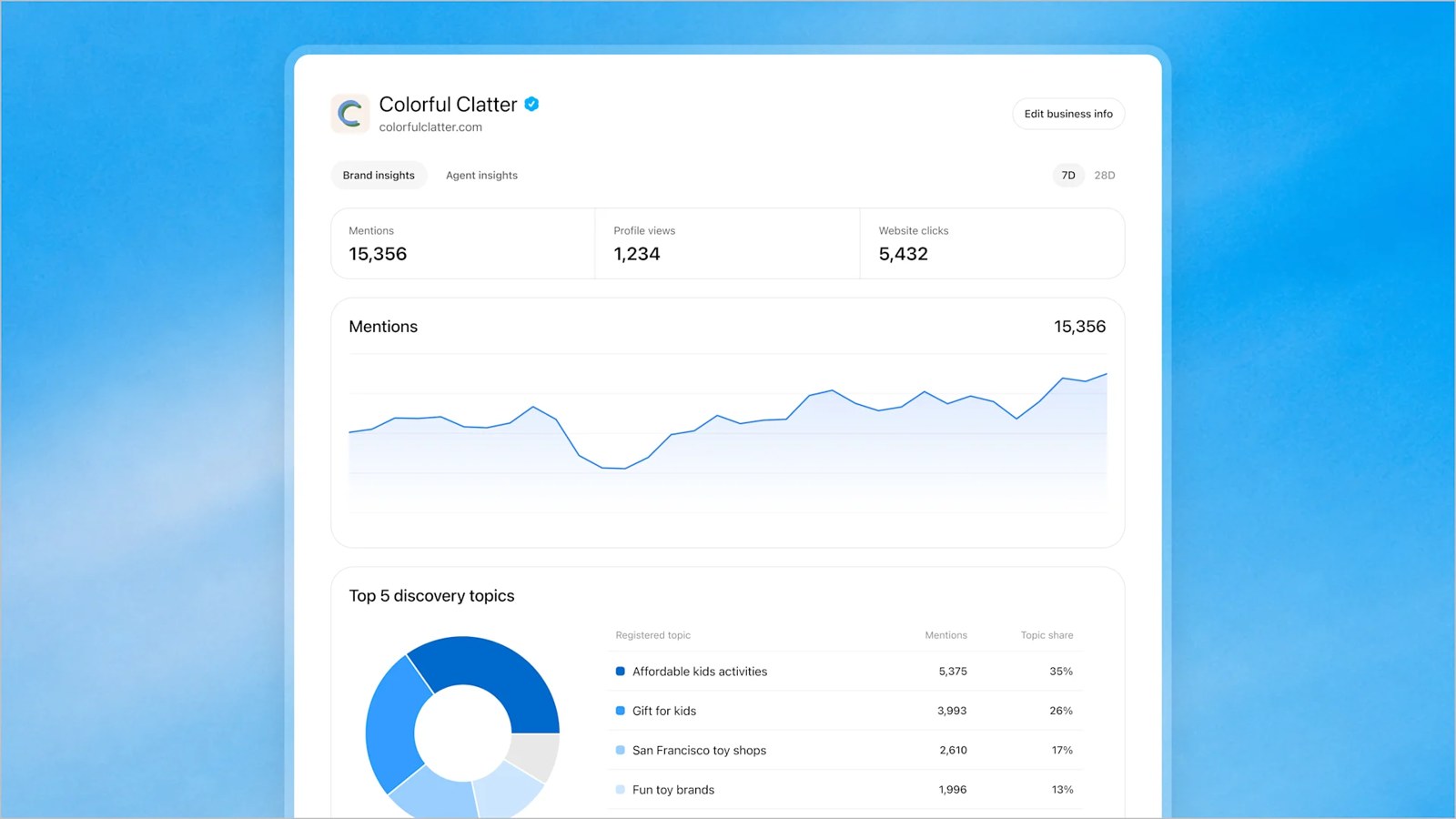
Putting insights to work: keep a log of changes to your profile and website pages. If a theme such as product compatibility emerges, check whether the relevant page actually answers that question. Then compare the trend with visits, qualified enquiries and sales measured by your own tools. A click signals interest; understanding commercial value requires looking at what happens afterwards.
The related news: from Sponsored Agents to Business Agents
This launch follows the direction OpenAI outlined on September 16, 2026, when it announced Sponsored Agents tests with selected US advertisers. After an ad, a user can start a conversation with a brand’s agent. That experience is labelled and separate from ChatGPT’s independent answers. OpenAI’s advertising announcement.
Information management, the agent experience and any paid distribution should therefore be planned with distinct objectives. For the profile, measure data quality. For the agent, assess the usefulness of its answers. For a campaign, define the budget and the commercial outcome you expect.
What to do next: YourDigitalWeb’s practical plan
Start by correcting information that could block a customer’s decision: availability, specifications, terms and contact details. Then choose five genuine frequently asked questions and check whether your website answers them clearly. This is useful groundwork while you wait for the features available to your business.
Claiming does not guarantee higher placement or sales: OpenAI keeps recommendations and comparisons independent, as its official FAQ explains. Our interpretation is that the practical opportunity lies in making the company easier to understand and its information more reliable. We recommend regular reviews of the data and results, with a named owner and an update date.
Official OpenAI sources
- Businesses in ChatGPT launch announcement
- Business overview and FAQ
- Business setup guide
- ChatGPT release notes
- Business profile policy
- Business Agents Policy
- Sponsored Agents and ChatGPT Ads announcement
Original text and analysis by YourDigitalWeb. Inline images: OpenAI, from the official announcement. Cover: original AI-generated editorial illustration, not a product screenshot.

