Table of contents 7 sections
- Business Hub, profile and Business Agent: what changes
- Is it available in Italy too?
- Before you start: prepare a consistent business profile
- How to claim your business in ChatGPT: 8 steps
- The related news: from Sponsored Agents to Business Agents
- What to do now: YourDigitalWeb’s practical plan
- Official OpenAI sources
Businesses in ChatGPT brings the management of your business presence inside ChatGPT. OpenAI announced the beta on November 10, 2026: eligible businesses can claim their listing, update their information and read aggregated data on interactions. The starting point is the Business Hub. Official OpenAI announcement.
Guide updated as of November 11, 2026. YourDigitalWeb’s practical recommendations are kept separate from the features confirmed by OpenAI.
Claim your business: official OpenAI page →
Go directly to the Business Hub.
Business Hub, profile and Business Agent: what changes
| Element | What it’s for |
|---|---|
| Business Hub | Manage the business and the information provided to ChatGPT. |
| Business profile | Present the business and its details. |
| Business Agent | Answer questions about the offer using the company’s information and guidelines, if eligible. |
This launch concerns businesses’ presence in ChatGPT; ChatGPT Business is instead the name of the plan for teams. To find your way around the new service’s features, see the official presentation.
Is it available in Italy too?
Claiming applies to eligible businesses in countries where ChatGPT is available, subject to verification and applicable requirements. Business Agents start with eligible e-commerce and online services in the United States. So having a profile isn’t enough to activate an agent.
OpenAI’s guide also states that local shops and restaurants can currently claim only an existing US listing. For an Italian company, the first concrete check is to see which path is available in its own Business Hub. Requirements and official procedure.
Before you start: prepare a consistent business profile
Our practical advice: prepare a single internal document approved by the owner, marketing and customer support. Collect the trade name, correct website, description of the offer, categories, contacts, logo and terms pages. For an online store, add references to the shipping and returns policies.
Assign one person to be responsible for updates. If the catalog changes every week, a description prepared once and forgotten quickly becomes of little use. Also check that the same information can be read on the website: the work is meant to reduce discrepancies between what you promise and what the customer finds when they arrive.
How to claim your business in ChatGPT: 8 steps
1. Open the Business Hub
Sign in to ChatGPT and open Business Hub from the sidebar. As an organizational choice, first identify the account of the person who will manage the business presence over time.
2. Search for and select the correct business
Search for the name and select the matching listing. Compare website and business identity before continuing, especially if there are businesses with similar names.
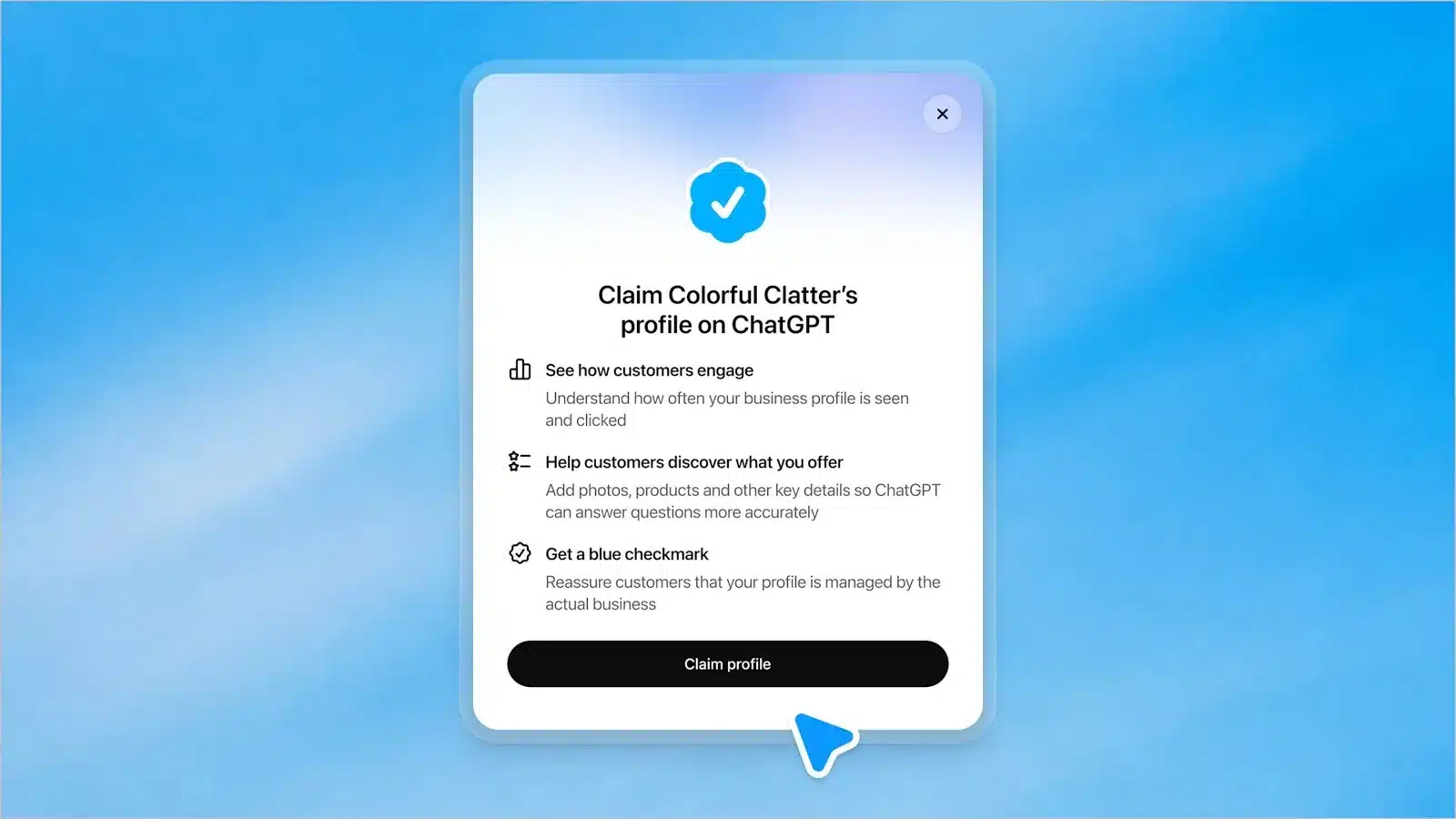
3. Use the verification method offered
Options may include phone, business email, domain or Shopify. For phone/email, enter the code you receive; for the domain, add the required TXT record and verify; with Shopify, follow the store connection. Wait for the outcome of the request. OpenAI instructions.
4. Also complete verification with Persona
OpenAI release notes indicate a second requirement: after the claim is approved, identity verification must also be approved with Persona to publish changes to the data, connect a feed and see insights. This also applies to creating an eligible agent. Submitting the data is therefore just one stage of the process: check that it has actually been approved before moving on.
5. Fill in accurate, verifiable information
policy on business profiles requires an authentic representation of the business and up-to-date data: name, category, contacts, hours or service area, products and services. The profile can be managed by the owner or an authorized representative.
Editorial example: a description like “We build e-commerce stores for furniture manufacturers, with support in Italian and English” helps people understand the offer more than “We’re the best on the market.” Choose facts your team can document. Use images you own the rights to and link relevant pages, avoiding promises of results you can’t prove.
6. If you sell products, take care of the catalog connection
OpenAI provides for feeds with product data, prices and availability. The Shopify path lets you connect the store, check the information shared through the catalog and, for eligible businesses, test and publish the agent. Shopify is one of the available routes, not a requirement for all businesses. Official details.
As a practical check, compare a small sample of products with their pages on the website: variants, price, availability and terms must tell the same story. Document who will fix errors before expanding the catalog.
7. If you’re eligible, set up and test the Business Agent
The agent must be configured as an AI that represents the business. The Business Agents Policy prohibits inventing prices, offers, credentials or guarantees and requires clarity on relevant costs and conditions.
Our testing approach is simple: try questions on product comparisons, returns, additional costs and missing information. Note every ambiguous answer, correct the source material and repeat the test. For an offer that isn’t in the catalog, a useful answer should acknowledge the limit and point to a relevant resource. Plan a review after every major change to the offer.
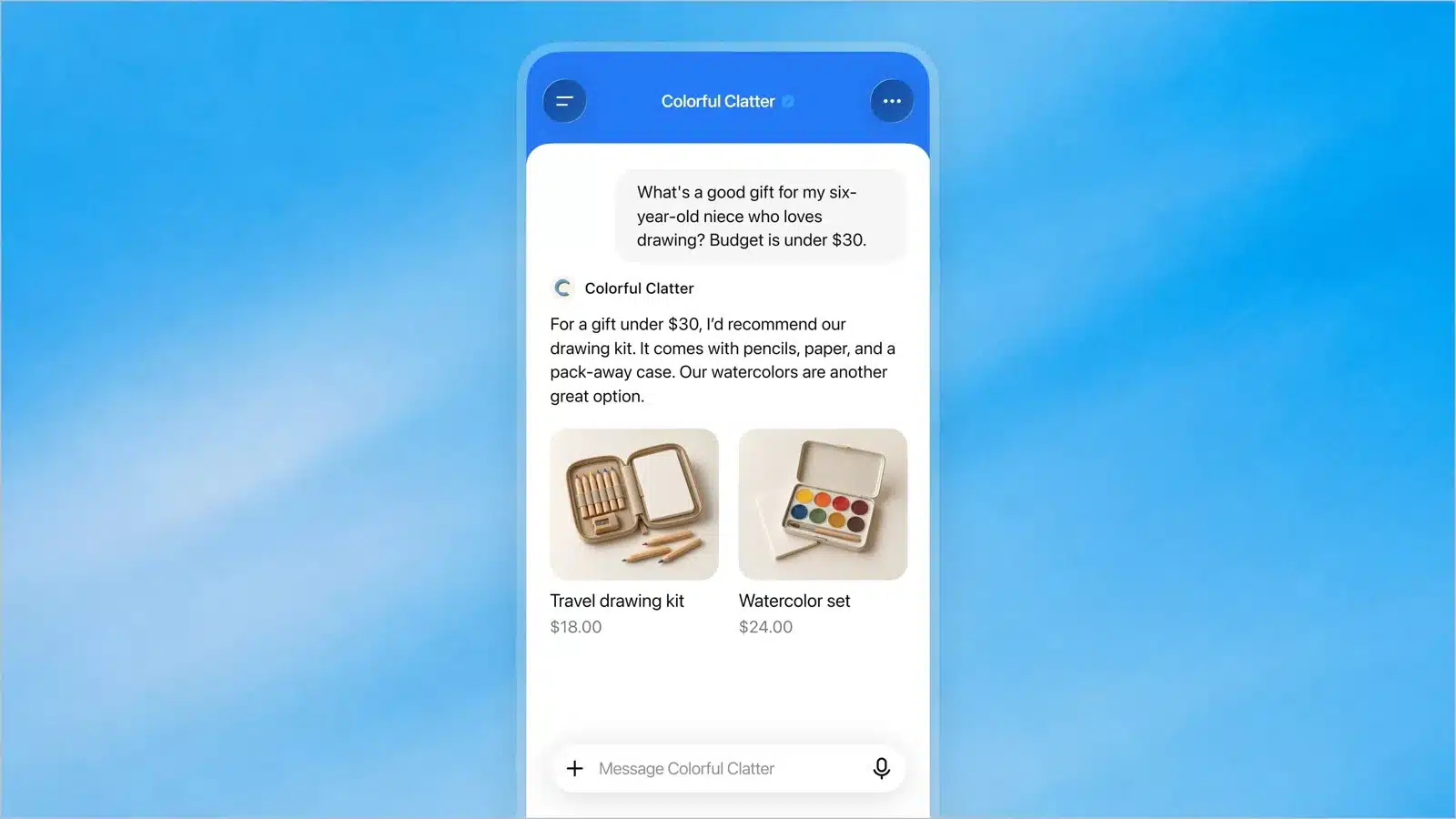
For eligible businesses, after testing review the preview and select Publish to make the agent available, as indicated in the OpenAI release notes.
8. Read the insights and compare them with results on your website
Insights include mentions, clicks to the website and discovery topics. They are aggregated and subject to thresholds: the business doesn’t receive users’ personal conversations. An empty indicator doesn’t necessarily mean zero activity. Announcement and OpenAI guide.
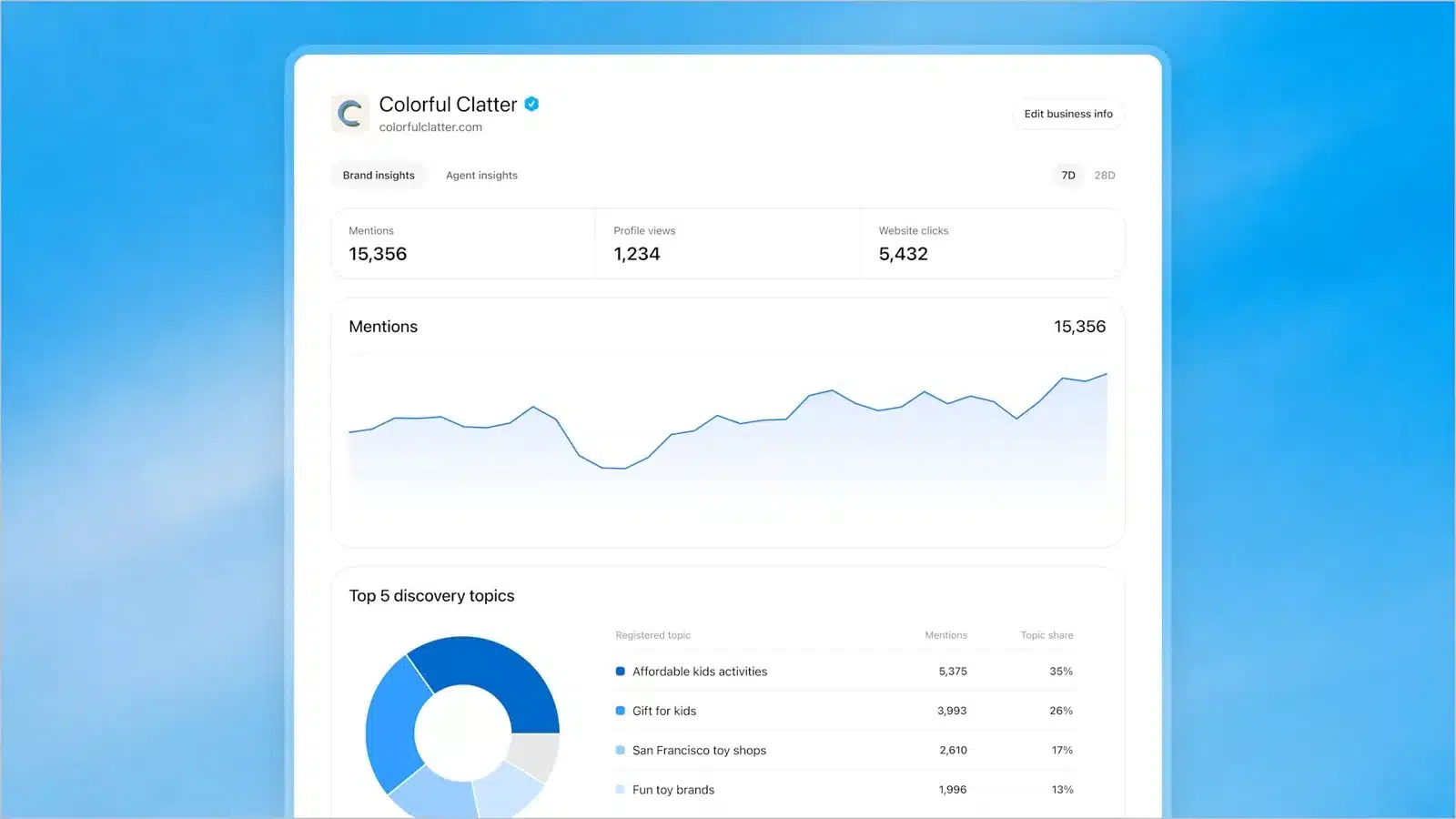
How to use them in day-to-day work: keep a log of changes to the profile and the website pages. If a topic emerges, such as a product’s compatibility, check whether the relevant page really answers the question. Then compare the trend with visits, qualified inquiries and sales measured by your own tools. A click signals interest; to assess economic value you need to look at what happens next.
The related news: from Sponsored Agents to Business Agents
The launch is part of the path that began on September 16, 2026, when OpenAI announced tests of Sponsored Agents with some US advertisers. After an ad, the user can start a conversation with a brand agent. This experience is labeled and separate from ChatGPT’s independent answers. OpenAI announcement on advertising.
Information management, the agent experience and any ad distribution should therefore be planned with distinct goals. For the profile, measure data quality. For the agent, check how useful the answers are. For a campaign, set the budget and the expected business outcome.
What to do now: YourDigitalWeb’s practical plan
Start by correcting the information that can block a decision: availability, features, terms and contacts. Then pick five real frequently asked questions and check whether they get a clear answer on the website. It’s a useful foundation even while you wait for access to the features planned for your business.
Claiming your business doesn’t guarantee better positions or sales: OpenAI keeps recommendations and comparisons independent, as it explains in the official FAQ. Our reading is that the real opportunity lies in making the business easier to understand and its information more reliable. That’s why we recommend a periodic review of data and results, with one owner and an update date.
Official OpenAI sources
- Businesses in ChatGPT announcement
- Overview and FAQ for businesses
- Setup guide
- ChatGPT release notes
- Business profile policy
- Business Agents Policy
- Announcement on Sponsored Agents and ChatGPT Ads
Original text and analysis by YourDigitalWeb. Inline images: OpenAI, from the official announcement. Cover: original editorial illustration generated with AI; it is not a product screenshot.
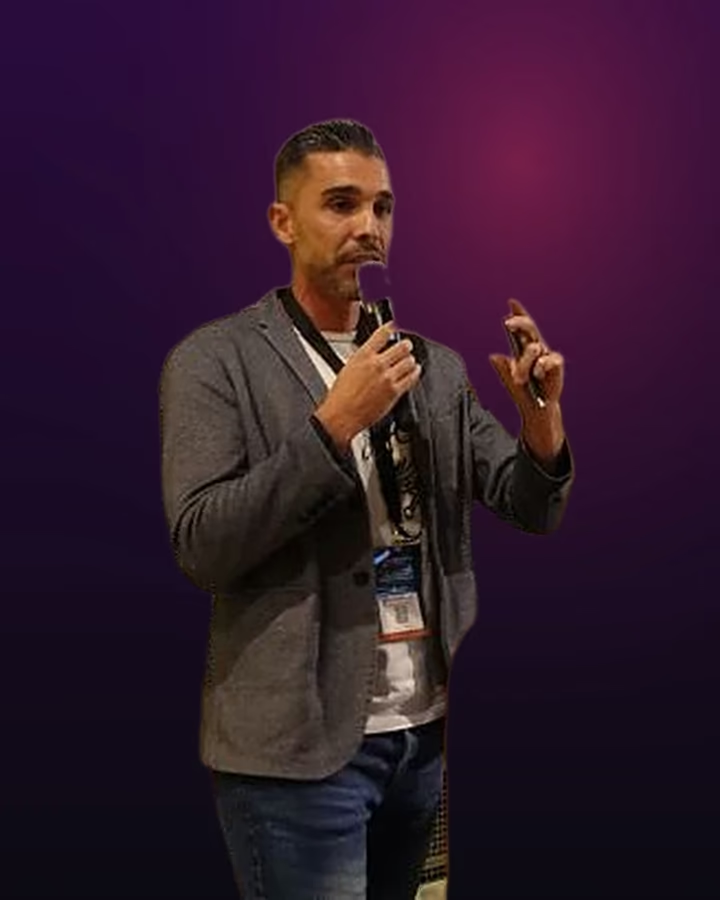
Marco Maltraversi
CEO and founder of YourDigitalWeb
He founded YourDigitalWeb in 2009 and is an SEO and GEO consultant with a background in software engineering. He has written books on SEO and artificial intelligence, including “Generative SEO” (Edizioni LSWR), teaches in university programs and runs the DeepSEO training program. He has spoken at SMAU, Web Marketing Festival and Search Tech.
One click and, when you search for SEO, AI and marketing, our articles will show up more often in Google’s Top Stories.